Loading game…

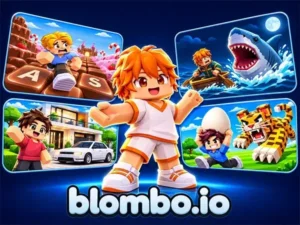
Blombo.io
Game guide
About Blombo.io
Blombo.io is a free browser-based multiplayer gaming platform featuring over 100 player-made, Roblox-style 3D games in one shared lobby. Jump straight into arcade challenges, fighting matches, or open-world adventures with other players, or build and publish your own creations for the community. Start by picking a room that matches the session you want, whether it is a quick competitive match or a longer roleplay world.
What Changes From One Game to the Next?
Each game sets its own objectives. In City Life, for example, you can work jobs and buy properties that generate income, or take on a police or outlaw role. If you want to focus on earning money and exploring, use the flag to toggle Peaceful Mode and avoid player-versus-player combat.
Blombo.io also lets players create and share their own games. The same lobby is your starting point whether you want to explore a new community creation or get friends together for a multiplayer session.
How to play
Select a game from the lobby and wait for it to load. On desktop, when you’re ready to try another game, press Esc and select the Blombo button in the upper-left corner to return to the main menu.
- Desktop movement and camera: Move with WASD or the arrow keys and look around with the mouse. Press Space to jump, Shift to run, C to crouch, and F to toggle first-person view.
- Desktop actions and menus: Left-click to punch or use an item, and press E to interact. Use G for emotes, Enter for chat, and P for settings.
- Touchscreen (mobile & tablet): Move with the virtual joystick and swipe to look around. Use the on-screen buttons for jumping, running, crouching, interactions, chat, emotes, and settings.
Blombo.io FAQ: Multiplayer, Downloads, and Game Creation
Do I need to download Blombo.io?
No. Blombo.io runs free in your web browser across desktop, mobile, and tablet devices. Make sure JavaScript is enabled so games can load properly.
Can I play Blombo.io with friends?
Yes. Blombo.io supports multiplayer games you can join with friends. What you do together depends on the game you choose.
Can I explore City Life without fighting other players?
Yes. Toggle Peaceful Mode at the flag in City Life to explore without the risk of player-versus-player combat.
Can I publish my own game on Blombo.io?
Yes. Blombo.io lets you create your own game and share it with other players.
No comments yet. Be the first to share your thoughts.