Loading game…

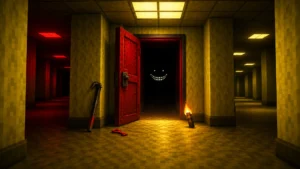
Backrooms Craft
Game guide
About Backrooms Craft
Scavenge furniture, craft tools, and build a base that survives the maze’s reshuffle in Backrooms Craft, a first-person survival horror sandbox game. Start in the yellow starter hall by breaking down a chair for sticks and making a torch. Your goal is to stay alive and push deeper into the Backrooms, building up the tools and supplies you need for each expedition.
How to play
Build Inside the Yellow Line
The first hall stays the same between runs, and the yellow line marks the part of it where your constructions persist. Set up your workbench on the safe side. If you build a station beyond the line, the next reshuffle can wipe it away with the surrounding layout.
Turn Salvage Into Better Tools
Break furniture down for materials. Sticks give you a starting point for a torch, and boards let you make a workbench. Progress from stone tools to steel to work with materials your earlier tools couldn’t handle. The furnace smelts metal, while the salvage bench takes furniture apart for parts.
Check Your Supplies Before Leaving
Keep track of health, hunger, thirst, and sanity as you explore. Bring a torch when you’re heading into dark rooms, use almond water when sanity drops, and keep a bandage available for wounds. If several meters are already low, restock before crossing the yellow line.
Desktop: Use WASD or the arrow keys to walk, Shift to run, Space to jump, C to crouch, and the mouse to look. Hold the left mouse button to mine, dismantle furniture, or attack. Right-click to place blocks, use food or drink, or open a crafting station. Select belt items with 1–9 or the mouse wheel. Press E for inventory and crafting, J for the journal, and Esc to pause.
Touchscreen: Touch the left side to bring up the movement stick, then push it to the edge to run. Drag across the scene to look. Hold on a block to mine and slide without lifting to keep mining. Tap briefly to place, use, or hit. The jump and crouch pads are on the right, and a weapon pad appears when you hold a weapon. Open inventory and crafting from the bag at the end of the belt, or select the journal button in the top corner.
What Changes Beyond the Starter Hall?
New runs rearrange the areas beyond the safe zone. You may encounter tiled poolrooms, dim server halls, warehouses, and hotel corridors. Use the journal to keep track of discoveries such as locked rooms, anomalous seams, and flickering zones. If an old route leads somewhere unexpected after a reshuffle, use the journal to identify what you found and plan around the layout in front of you.
Backrooms Craft FAQ
Why did my workbench disappear after I started another run?
A workbench placed beyond the yellow line can disappear when the world reshuffles. Build inside the marked safe zone in the first hall if you want the station to stay in place.
How do I make a torch at the start?
Break down a chair to get sticks, then use them to craft a torch. Make one before entering a dark area.
What should I use when sanity drops?
Use almond water to steady your sanity. Keep bandages for wounds.
Is there an exit that ends Backrooms Craft?
No. The game is built around ongoing survival, crafting, and exploration. Use the starter hall as a base for trips into the shifting rooms.
Get this game

No comments yet. Be the first to share your thoughts.